Check-in and check-out ✓ works
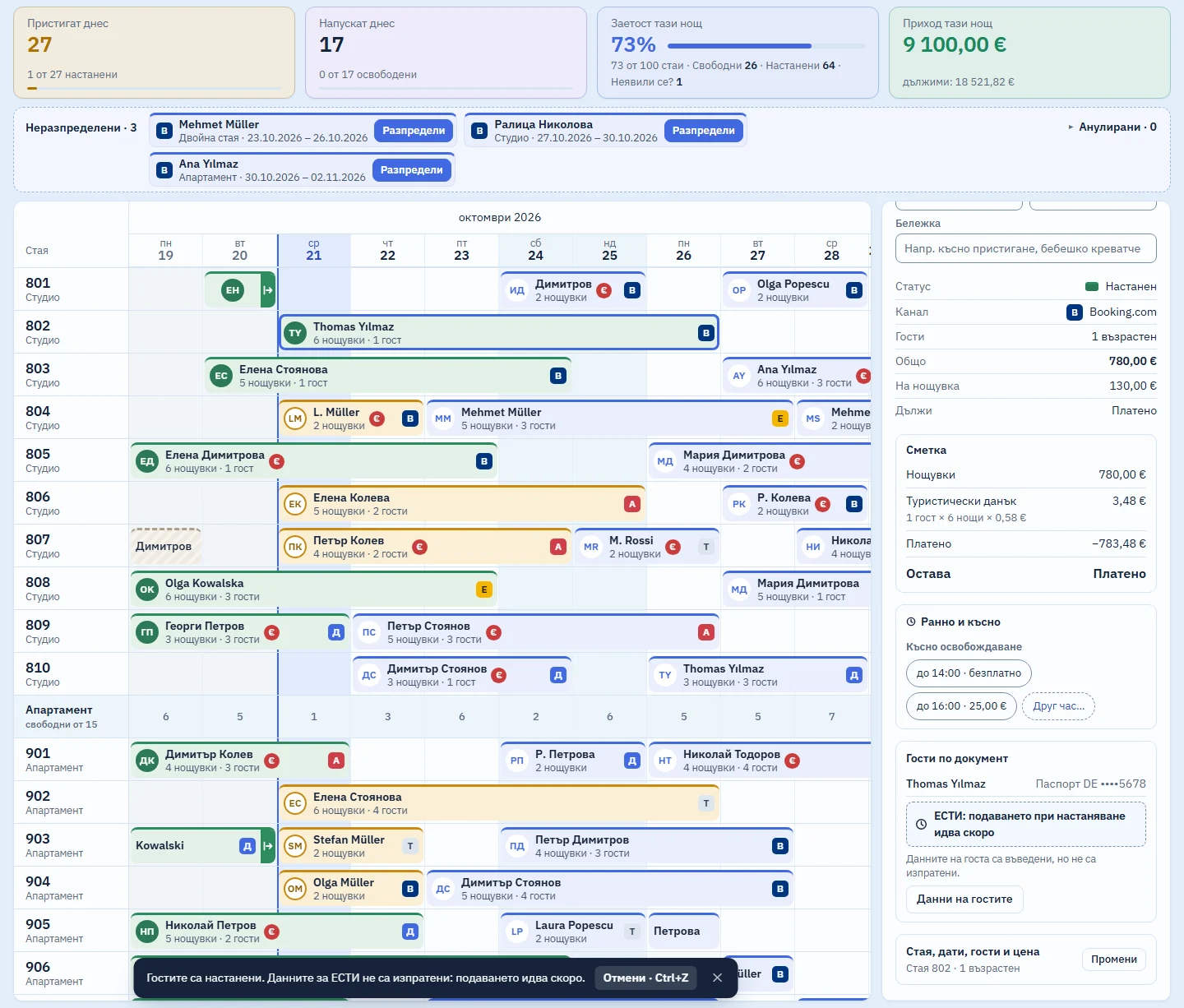
Guests arriving today have an amber edge on the calendar. You click the booking and check them in from the panel on the right.

Records each guest's details as the register requires
You copy them from the document, with no photos and no copies. The issue date is typed by hand, because the ID card's machine-readable zone does not contain it.
EGN and LNCh are validated against their check digit. A child under 14 without a document is entered with the EGN or LNCh only.
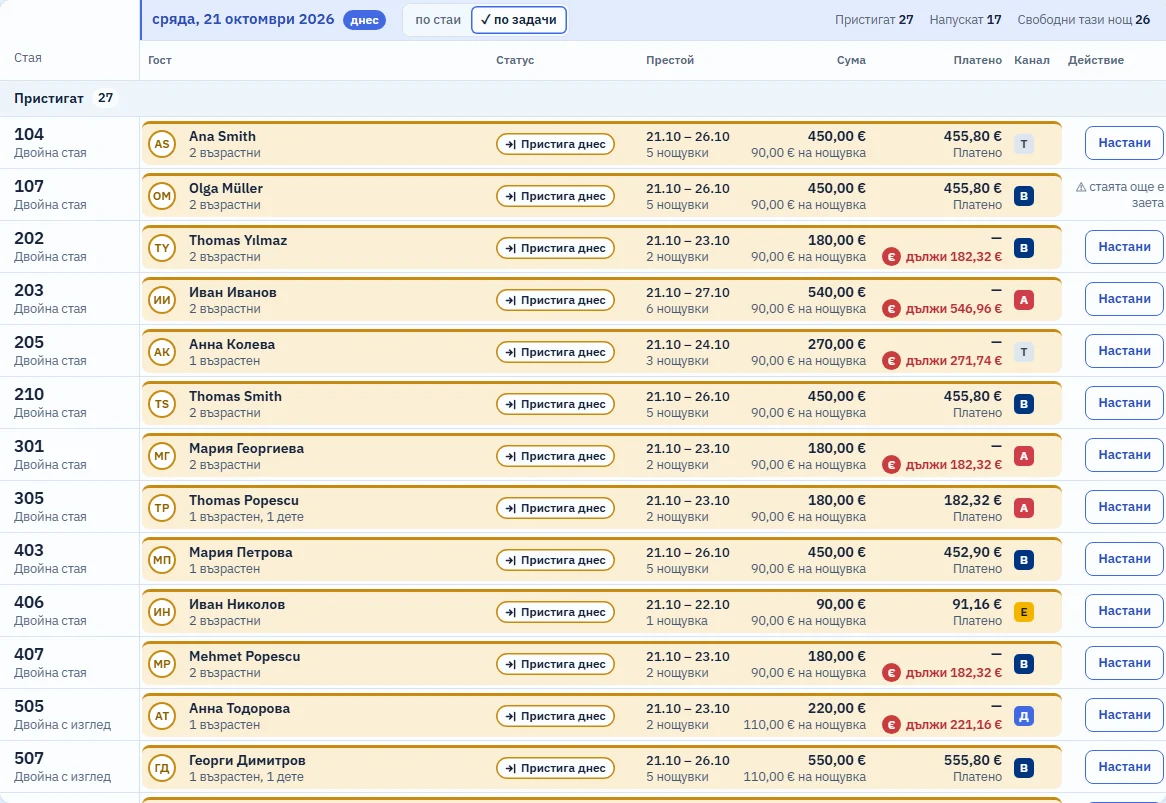
Example: 14:05, and Ana Smith arrives for room 104 with her nine-year-old daughter. You click the amber bar and “Check in”. The form has two blocks; for the child you tick “No identity document” and enter only the EGN.
Releases the room on the day of departure
“Check out” is the main button on the departure day. If the guest leaves early, the system tells you which nights go back on sale and that the price stays the same, then waits for you to confirm.
If the folio still shows a balance, “Check out” first tells you how much and asks. After check-out the room shows as Dirty in the Rooms tab.
Gathers everything the guest owes into one folio
“Folio” in the booking panel lists the nights, the tourist tax, early check-in, late check-out and extras, minus what has been paid. The same balance appears on the calendar bar, at check-out and in the daily report.
Payments of any amount are accepted: cash, card, bank transfer or through the channel. Before arrival you can take a deposit. An overpayment is refunded as a separate entry, and a recorded payment is never edited.
Lays out the day and the rooms like a worksheet
The Day view shows the day by room or by task: arriving, departing, staying, free. Each row carries the button for the next step.
The Rooms tab next to the calendar lists every room tonight with its guest and housekeeping status. One tap turns Dirty into Clean, a second into Inspected. The filters show how many rooms are in each state.

What it does not do (yet)
- It does not submit the data to ESTI: that is coming soon. For now the guest data stays in the open browser tab and is sent nowhere.
- It does not print a fiscal receipt when a guest pays. The payment is recorded on the folio, and the “Take payment” button is labelled “demo” for now.
- It does not read ID cards with a scanner: the details are typed by hand.
What the law says
| Law | Article | What the system does | Status | Checked |
|---|---|---|---|---|
| ESTITourism Act (Закон за туризма) | Tourism Act, Art. 116(5) (lex.bg, new tab)Which details of each guest go into the register of accommodated guests. | At check-in, records each guest's details from their ID document and validates the EGN or LNCh. For now they are kept only while the browser tab stays open. | ✓ works | 18 Oct 2026 |
We read each article on lex.bg on the date in the last column. The law states its amounts in leva (BGN); the euro figures use the fixed rate of 1.95583. This is not legal advice.
Included in the monthly price, at no extra cost
One monthly price: a base fee for the property and a fee for each room. There are no tiers and no add-on modules: every part that starts working joins the same price. We will publish prices at launch.
Short answers
Does it keep a copy of the ID card?
No. The system keeps no photos or copies of documents, only the fields the law requires for the register.
Can I correct the details after check-in?
Yes, from “Guest details” in the booking panel.
How does the front desk know a room has been cleaned?
From the Rooms tab. Every room is Dirty, Clean or Inspected, and a check-out turns it Dirty automatically.
Related parts
Look round the system in the demo
A sample hotel with 100 rooms. While the system is in development, demo access is available on request.