Cancellations ✓ works
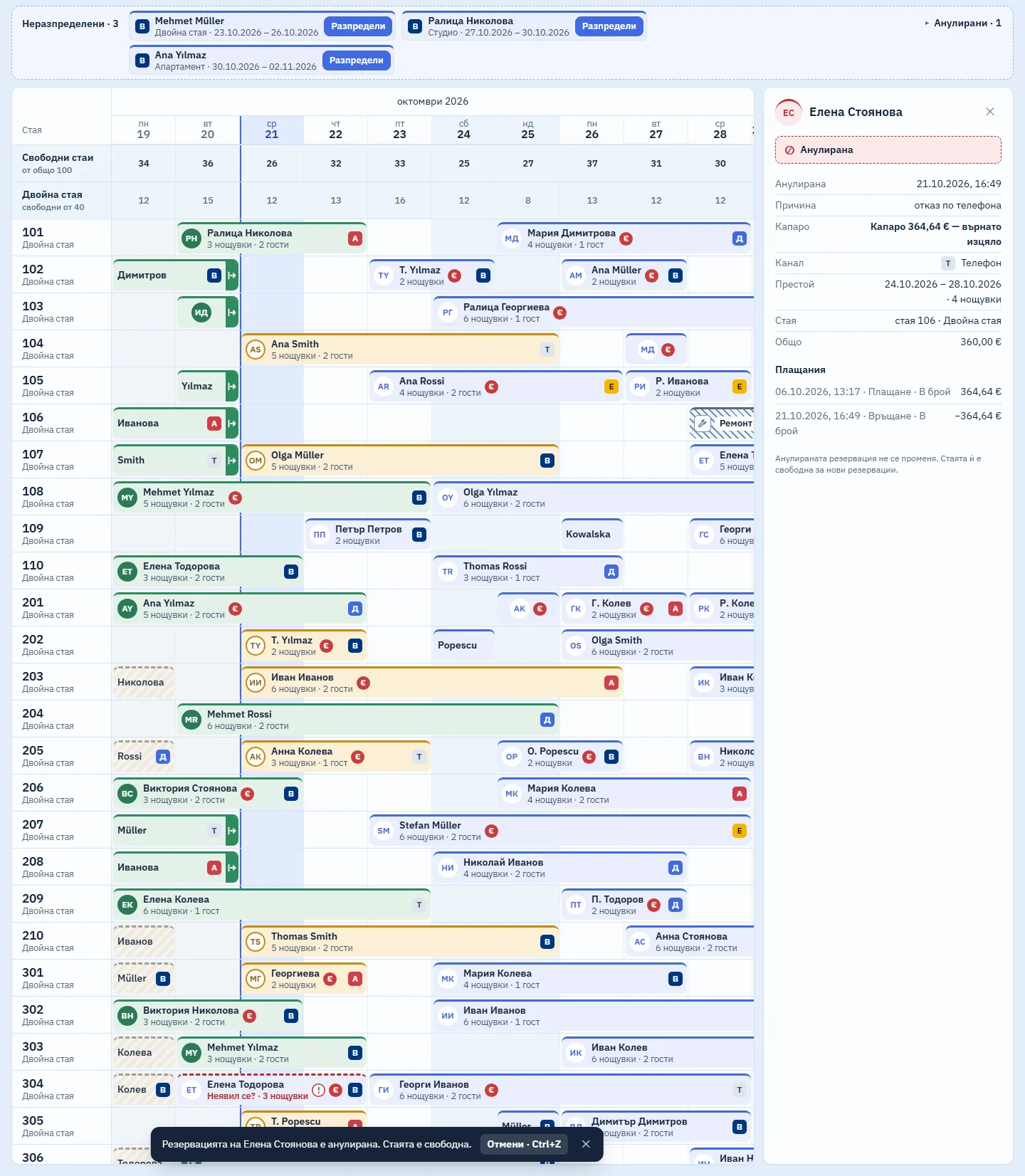
A cancelled booking leaves the calendar, and its room is free for a new booking straight away. Nothing is deleted.

Keeps every cancelled booking with its reason and time
The Cancelled list sits above the calendar. A cancelled booking opens read-only: who cancelled it, when, why, and what happened to the deposit.
Records a refunded deposit as a separate payment
The deposit itself is never edited. If it is refunded, in part or in full, the refund is a new line in the payments. That way the figures reconcile with the bank and no sale is ever deleted.
Example: The Rossi family cancel by phone three days before arrival. They paid a €360.00 deposit, and your terms let you keep half. You choose “Refunded”, type 180 and the reason “cancelled by phone”. The Cancelled list then shows: €180.00 refunded of €360.00.
Undoes a cancellation with Ctrl+Z
If you cancelled by mistake, Ctrl+Z brings the booking back. If part of the deposit had been refunded, the refund is reversed with a new entry, not deleted.
What it does not do (yet)
- It does not refund the card itself: you make the refund at the bank or on the terminal and record it here.
- It does not cancel in Booking.com and other channels: the channel connection is coming soon.
- It does not cancel a guest who has already checked in. A guest leaving early is checked out with “Check out”.
Included in the monthly price, at no extra cost
One monthly price: a base fee for the property and a fee for each room. There are no tiers and no add-on modules: every part that starts working joins the same price. We will publish prices at launch.
Short answers
Is anything deleted when I cancel?
No. The cancelled booking stays on the Cancelled list, unchanged, and its room is free for new bookings.
Can I cancel the booking of a guest who is already in the hotel?
No. Only a booking that has not been checked in can be cancelled. A guest who leaves before the end of the stay is an early departure.
Related parts
Look round the system in the demo
A sample hotel with 100 rooms. While the system is in development, demo access is available on request.