Daily report ✓ works
The board above the calendar shows today's figures, and the Daily report puts the whole business day on one screen. Reports for a period are coming soon.
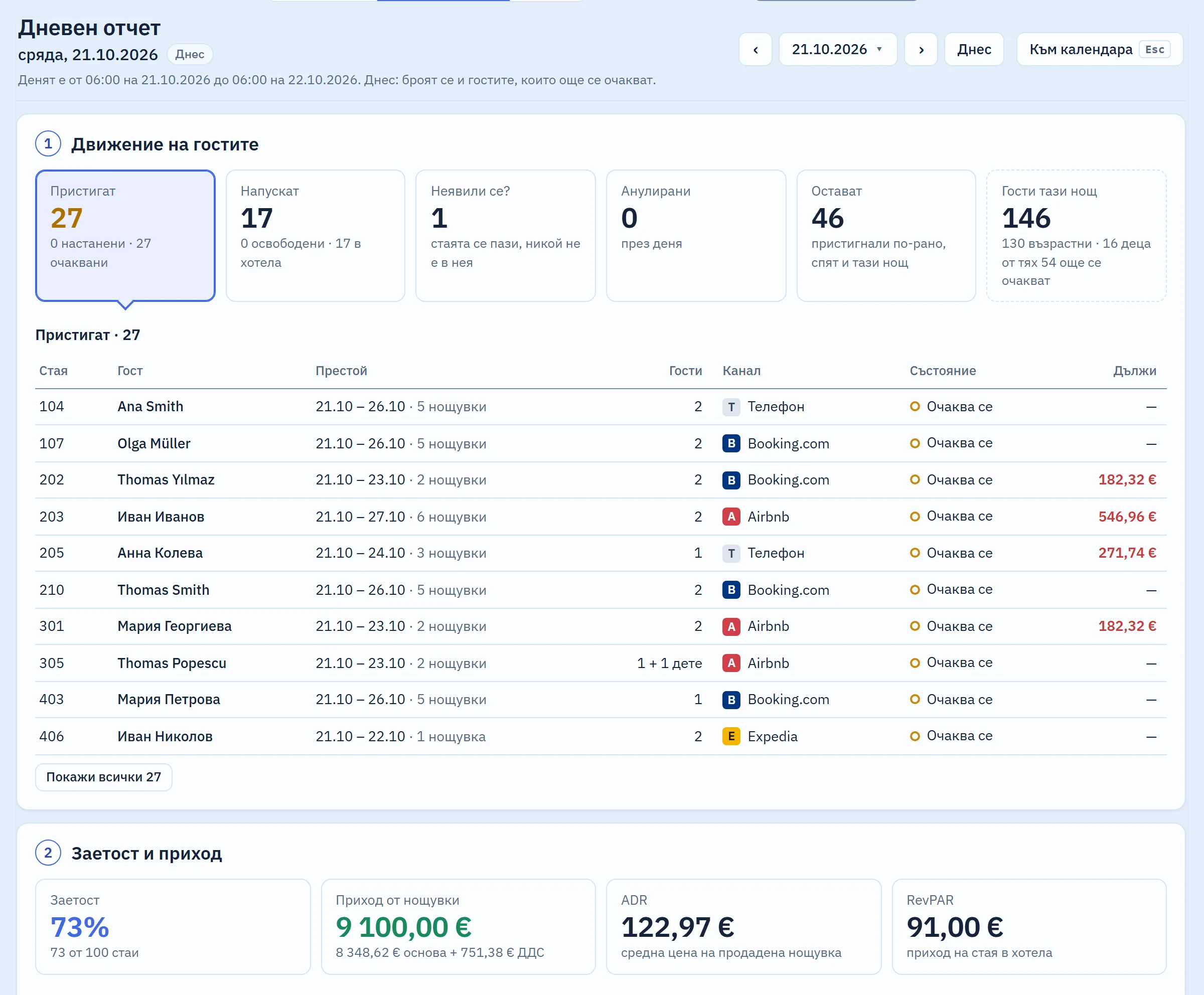
Puts the business day on one screen
Daily report is a tab next to the calendar. The day runs from 06:00 to 06:00, as on the board, and you change it with the arrows or by picking a date. The report has four parts: guest movement, occupancy and revenue, payments and balances due, and tonight's tourist tax.
Click any guest row to open that booking.
Example: 6:30 in the morning, and the night shift is handing over. You open the report for the day just ended: how many arrived and left, room revenue with 9% VAT, the cash in the till, and who owes what, with today's departures first.
Shows occupancy, ADR and RevPAR for the night
Room revenue is accrued at the agreed prices, with the tax base and 9% VAT, and the early check-in and late check-out fees are shown separately. Occupancy and RevPAR count only the rooms that are for sale: a room out of order is left out.
Tells you what came in and who owes what
The day's payments are split by method: cash, card, bank transfer and through the channel, with deposits and refunds shown separately. The cash figure is the cash taken minus the cash refunded.
Below them is the list of who owes what, with the total.
Will report on any period and reconcile with the bank soon
Occupancy, revenue, balances due and payments for a month or a season, a comparison with last year, and a one-page printout. Automated tests will check the totals against the bank's payouts.
What it does not do (yet)
- There are no reports for a period and no comparison with last year.
- It does not show how long each guest has owed money.
- It cannot be printed or exported to Excel.
- A past day is calculated from the bookings as they stand now: there is no night audit that locks the day yet.
- There is no phone view with alerts for the owner, and no export to accounting software.
Included in the monthly price, at no extra cost
One monthly price: a base fee for the property and a fee for each room. There are no tiers and no add-on modules: every part that starts working joins the same price. We will publish prices at launch.
Short answers
When does the day change in the report?
At 06:00, as on the board above the calendar. A payment taken at 01:30 counts towards the previous day.
Can I download all my data?
You will be able to at any time, including after you cancel. The full export is coming soon, as is the export to Microinvest, Ajur and Plus-Minus.
Related parts
Look round the system in the demo
A sample hotel with 100 rooms. While the system is in development, demo access is available on request.